
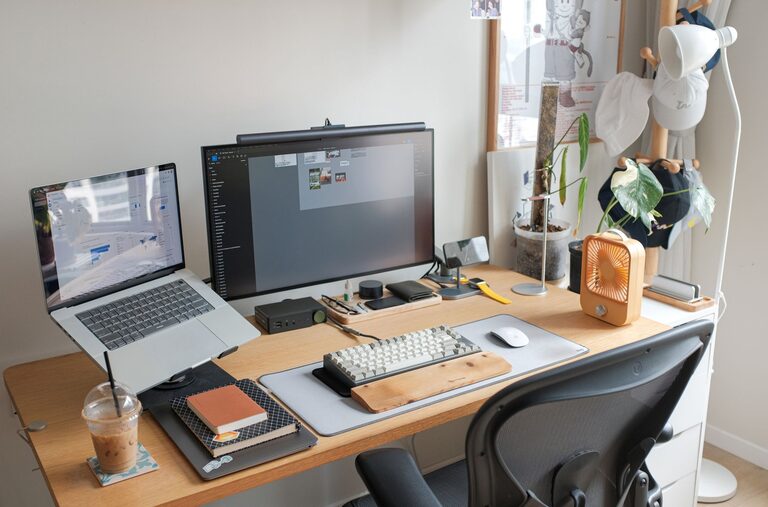
Working from home has become increasingly common, and setting up a productive home office environment is essential for maintaining focus and efficiency. Whether you’re starting a new remote job or looking to improve your current setup, creating a workspace that supports your needs can make a significant difference. Here are some practical tips to help you establish a home office that maximizes productivity and comfort.
Choose the Right Location
Selecting the ideal spot for your home office is the first step. Consider these factors when choosing a location:
– Quiet and private: Opt for a space away from noise and distractions, such as a spare room or a quiet corner.
– Natural light: A well-lit area with access to sunlight can improve mood and focus.
– Space availability: Ensure you have enough room for a desk, chair, and any necessary equipment.
If space is limited, try to create a designated area for work to help you mentally separate work time from personal time.
Invest in Ergonomic Furniture
Comfort and health are vital for productivity, especially if you spend long hours at your desk. Ergonomic furniture supports good posture and reduces strain.
– Ergonomic chair: Choose a chair with adjustable height, lumbar support, and comfortable padding.
– Desk height: Your desk should allow your elbows to be at a 90-degree angle when typing.
– Monitor placement: Position your screen at eye level to prevent neck strain.
– Keyboard and mouse: Use devices that reduce wrist fatigue, such as split keyboards or vertical mice.
Proper ergonomic setup helps prevent discomfort and keeps you focused longer.
Keep Your Workspace Organized
An organized workspace promotes clear thinking and efficiency. Use the following tips to maintain order:
– Declutter regularly: Remove unnecessary items and keep only essentials on your desk.
– Storage solutions: Use shelves, drawers, or filing cabinets to store materials neatly.
– Cable management: Use clips or ties to keep cables untangled and out of sight.
– Daily tidying: Spend a few minutes at the end of each day clearing your desk.
A tidy space reduces distractions and saves time searching for things.
Optimize Lighting
Good lighting is key for reducing eye strain and maintaining energy.
– Natural light: Position your desk near windows but avoid glare on your computer screen.
– Task lighting: Use a desk lamp with adjustable brightness for focused work.
– Ambient lighting: Soft overhead lighting helps balance brightness in the room.
Ensuring your workspace is well-lit helps you stay alert and reduces fatigue.
Minimize Distractions
Creating boundaries helps maintain focus during work hours.
– Set office hours: Define when you are “at work” and communicate this to household members.
– Turn off notifications: Silence non-work-related alerts on your devices.
– Sound management: Use noise-canceling headphones or play background music if it helps concentration.
– Limit multitasking: Focus on one task at a time to improve productivity.
Reducing interruptions supports deeper concentration and higher quality work.
Personalize Your Space
Adding personal touches can make your home office more inviting and motivating.
– Plants: Introduce greenery for a calming effect and improved air quality.
– Inspirational items: Place photos, quotes, or artwork that inspire you.
– Comfort items: Consider a cozy blanket or a wrist rest to increase comfort.
A personalized space can make working from home more enjoyable.
Establish a Routine
A consistent routine helps create a work mindset and separates work from home life.
– Morning preparation: Dress for work as you would for the office to signal the start of the day.
– Scheduled breaks: Take regular short breaks to stretch and rest your eyes.
– End-of-day ritual: Develop a habit to “shut down” your workspace to help transition out of work mode.
Having a routine encourages discipline and reduces burnout.
Use Technology Wisely
Take advantage of technology to support your workflow.
– Task management tools: Apps like Trello or Asana help organize projects and deadlines.
– Communication: Use video calls and chats to stay connected with colleagues.
– Backup system: Regularly save work and files to cloud storage to prevent data loss.
When used effectively, technology can streamline tasks and improve collaboration.
Conclusion
Creating a productive home office environment involves thoughtful choices about location, furniture, organization, lighting, and routine. By minimizing distractions and personalizing your workspace, you can build a comfortable setting that supports focus and efficiency. Implement these tips to make your home office a place where you enjoy working and can perform your best every day.